You played a weird hand last night. Maybe you cooled someone off, maybe you got coolered. Either way, you've been thinking about it.
You text the group chat. Forty minutes later, three people have three different reads, nobody agrees on what the flop was, and your friend Jake is still asking if you had position.
A Tells share link gives everyone one version of the hand. Instead of solving the missing details first, your friends can spend their time on the decision.
Start with one complete version of the hand
Capture the positions, effective stacks, hole cards, board, action, and sizes in Tells. Quick Capture lets you type or say the hand naturally; Guided Entry asks for the details one step at a time. Review the saved hand before sharing so uncertainty is marked rather than silently filled in.
From the hand page, you can generate a share image for a visual preview or copy a link to the full shared view. The link is the useful part when the group wants to examine more than the result.
Let everyone replay before they react
The shared hand opens with Replay. Seats, positions, cards, pot, bet chips, and actions appear on an interactive table, with controls to move through the hand and jump between streets.
Now the group can pause before the river, hide the emotional ending for a moment, and discuss the turn decision with the information that existed on the turn. That produces a better question than asking whether the final result felt unlucky.
Keep the conversation attached in Table Talk
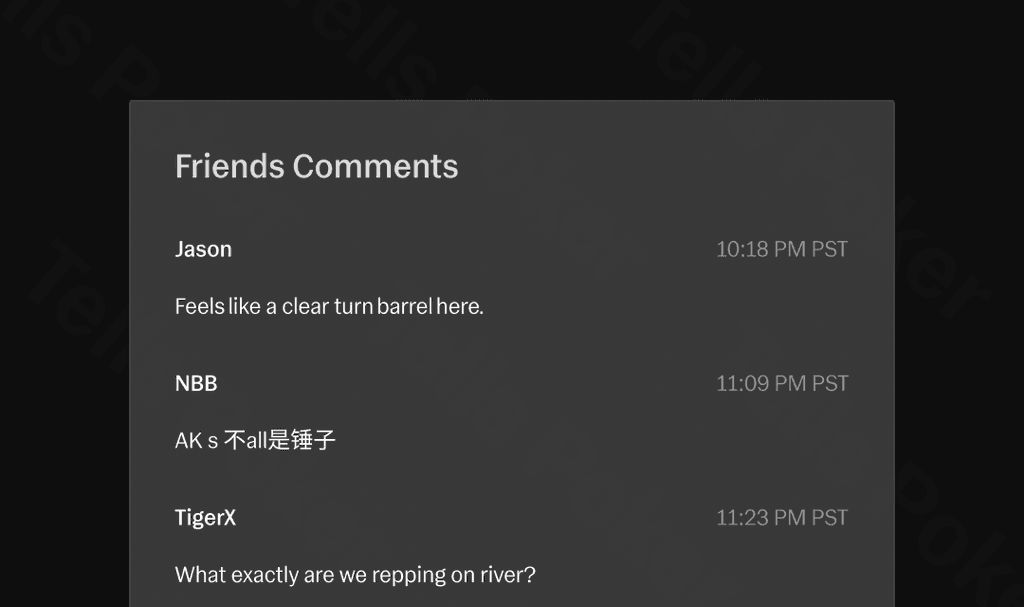
Table Talk holds comments and replies on the shared hand. The hand owner can also create a poll around a specific decision, giving the group clear options and a place to explain each choice.
Because the discussion stays beside Replay, a comment such as “smaller on the turn” can be checked against the actual pot, stack, and previous action. Nobody has to search three screens up the group chat to remember what the comment referred to.
Use Analysis as another voice, not the final word
The shared Analysis tab carries the verified debrief with street grades, quick takes, spot math, range reasoning, an alternative line, a key insight, and a what-if branch when available.
That structure gives friends a common starting point, but it should not end the conversation. Compare its assumptions with the reads and game context you actually had, then decide which lesson is portable to another hand.
Share directly with Tells friends
Players can find one another with friend codes, open an in-app chat, and send hands directly. A public link still works when the discussion lives in a group chat or another community.
The goal is the same in either place: one hand, one action sequence, and one conversation grounded in the same facts.
Frequently asked questions
What can someone see in a shared Tells hand?
A shared hand can include the interactive Replay, Table Talk discussion, and the verified Analysis debrief, all attached to the same hand context.
Can the hand owner ask friends to vote on a decision?
Yes. The hand owner can create a Table Talk poll around a decision, and participants can choose an option and add their reasoning.
Can you share a Tells hand outside the app?
Yes. You can copy a public hand link or create a share image, then send it through the conversation you already use.